

Acer USB C Hub, 5-in-1 USBC to HDMI Adapter with 4K@60Hz, 100W Power Delivery, USB-C 5Gbps & USB-A 3.0 Data Ports, USBC Dongle Docking Station for MacBook Pro/Air, iPad Pro, iPhone 17/16 Pro Max, XPS
Product description


1 See More Clearly
2 Stay Fully Charged
3 Swift File Transfer
4 Boost Productivity


1 Cleaner Desk, More Focus
2 Built to Last Longer


1 Maximize Home Office
2 Run Flawless Meetings
3 Productivity on the Go
4 Big Screen Home Fun


Please Read Carefully Before Purchasing
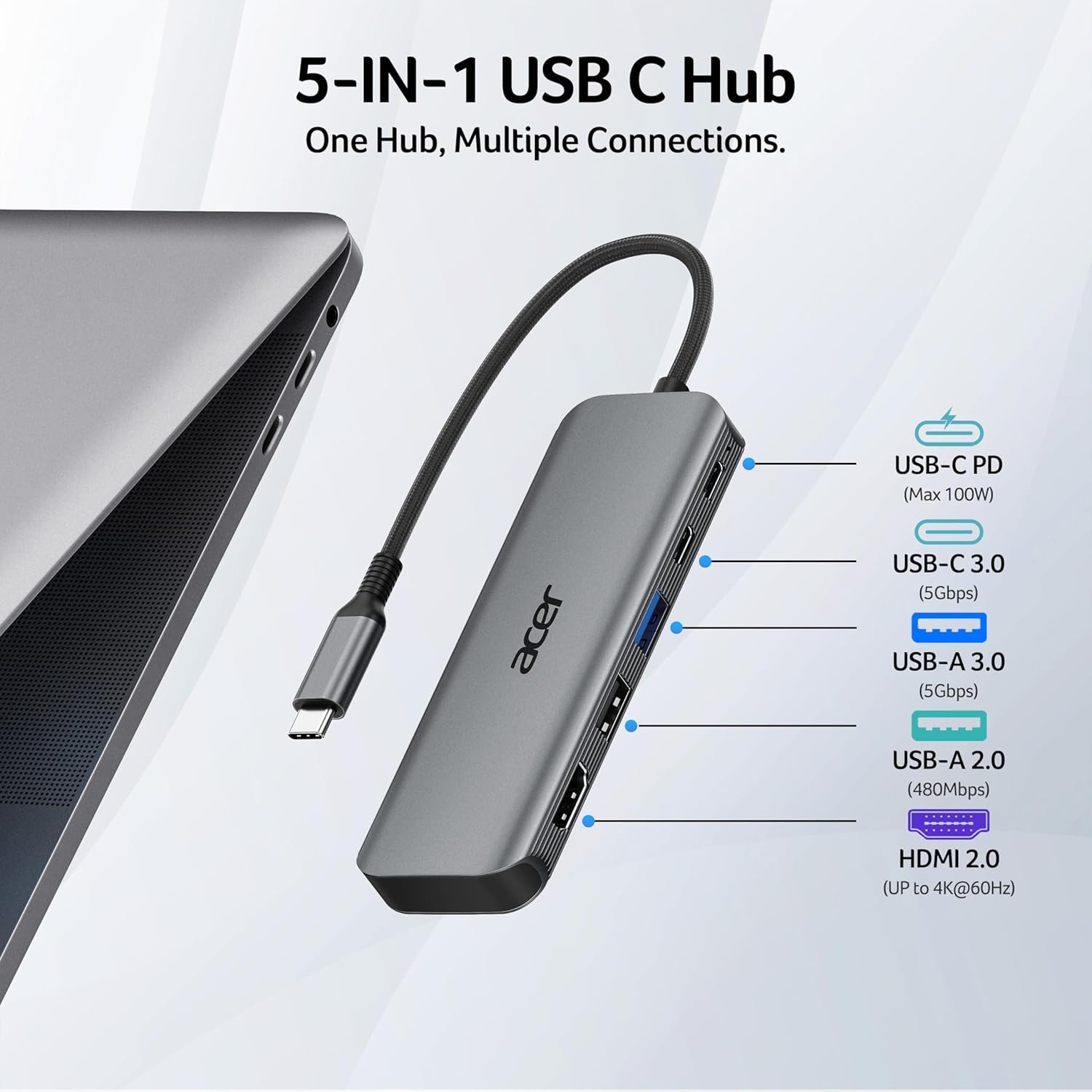
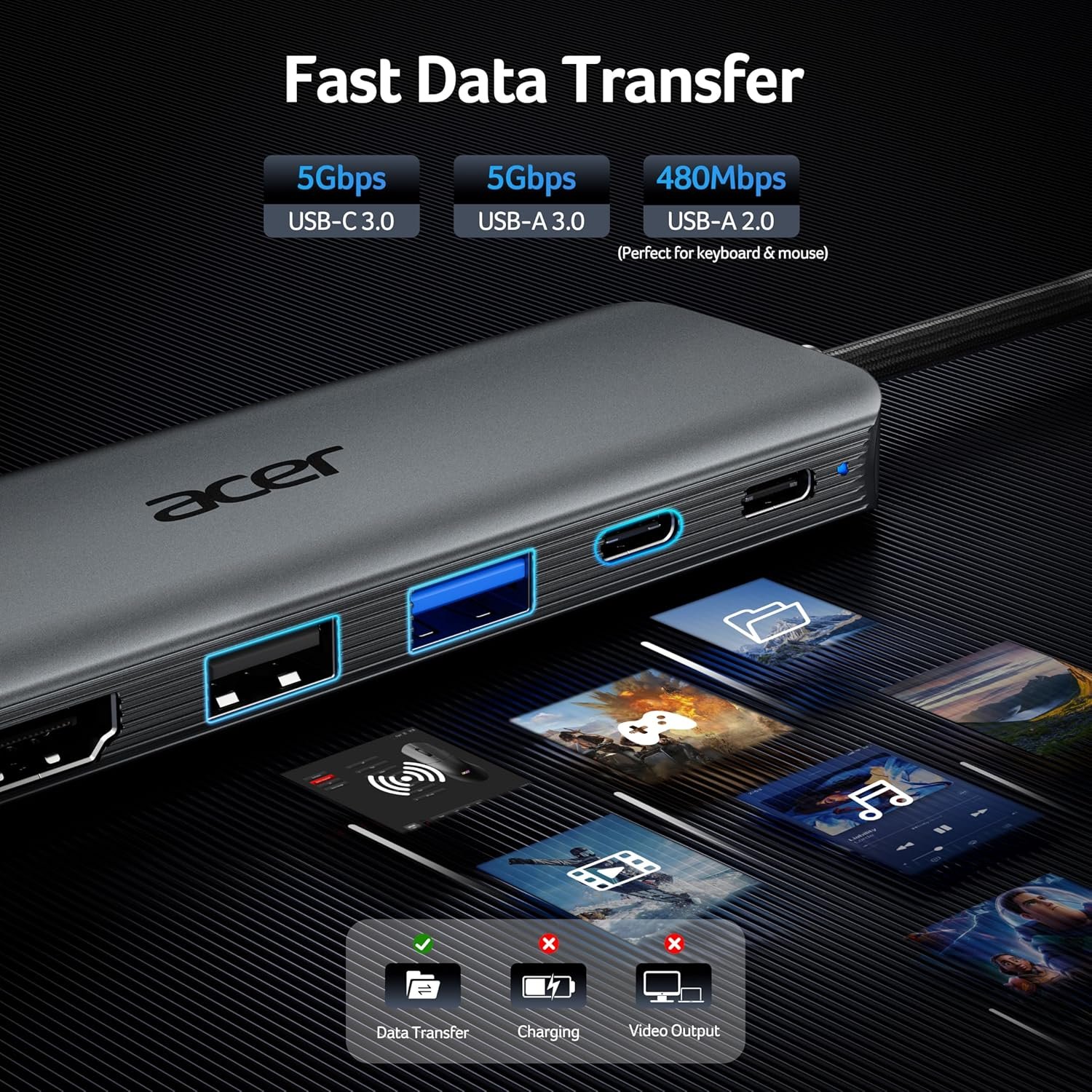
✔️Check Before Buy Your device’s USB-C port must support 𝐯𝐢𝐝𝐞𝐨 𝐨𝐮𝐭𝐩𝐮𝐭 (𝐃𝐢𝐬𝐩𝐥𝐚𝐲𝐏𝐨𝐫𝐭 𝐀𝐥𝐭 𝐌𝐨𝐝𝐞). USB-C ports that only support charging or data transfer will NOT output video via HDMI. ✔️HDMI Display Behavior HDMI display recognition may take a few seconds on first connection. If your monitor has multiple input sources, please manually select the correct HDMI input. ✔️Full Charging Performance. Supports up to 𝟏𝟎𝟎𝐖 𝐏𝐃 𝐢𝐧𝐩𝐮𝐭 (𝐮𝐩 𝐭𝐨 𝟗𝟎𝐖 𝐨𝐮𝐭𝐩𝐮𝐭 𝐭𝐨 𝐭𝐡𝐞 𝐡𝐨𝐬𝐭 𝐝𝐞𝐯𝐢𝐜𝐞). Your device, charger, and charging cable must all support the Power Delivery (PD) protocol. Charger and cable are not included. ✔️About Audio Output Audio may not switch automatically when using an external monitor. If no sound is heard, please select the TV or monitor as the audio output device in system settings. ✔️Not Compatible Devices Not compatible with Lightning devices or gaming consoles, including iPhone/iPad (Lightning), Xbox, PS5/PS4, or similar devices. Note To fully utilize the display capabilities of the iPad Pro (M1), please connect a USB 3.0 drive to the 5Gbps USB-A port, and then connect the hub to the iPad Pro to display the image. Note For the most stable HDMI connection, we recommend connecting the PD power adapter before plugging in HDMI cables or other peripherals. Note Brief HDMI reconnection may occur when plugging or unplugging the PD charger as the hub reallocates power. This is normal and does not affect performance or lifespan. Q1 Why is there no image or blinking on HDMI? A1 1. Make sure your device’s USB-C port supports DP Alt Mode 2. Ensure the hub and HDMI cable are firmly connected 3. Adjust your device’s display resolution 4. Use a high-quality 4K@60Hz HDMI cable 5. Select the correct monitor input source manually Q2 Why isn’t my laptop charging through the PD port? A2 1. Connect the power adapter to the hub before connecting your laptop 2. Confirm your laptop USB-C port supports PD charging 3. Use a 65W or higher power adapter for best performance 4. Reconnect the hub if charging does not start immediately Q3 Can the male USB-C connector transfer data? A3 No. The male USB-C connector is for host connection only. Data transfer is supported through the USB-A ports and designated USB-C data port. Q4 What happens to data transfer speed when multiple ports are used at the same time? A4 This hub has three independent data ports: ✔️USB-A 3.0: up to 5 Gbps ✔️USB-C 3.0: up to 5 Gbps ✔️USB-A 2.0: up to 480 Mbps. Each port operates based on its own USB specification and the connected device. Actual transfer speeds may vary depending on the host device performance, system workload, and connected peripherals.
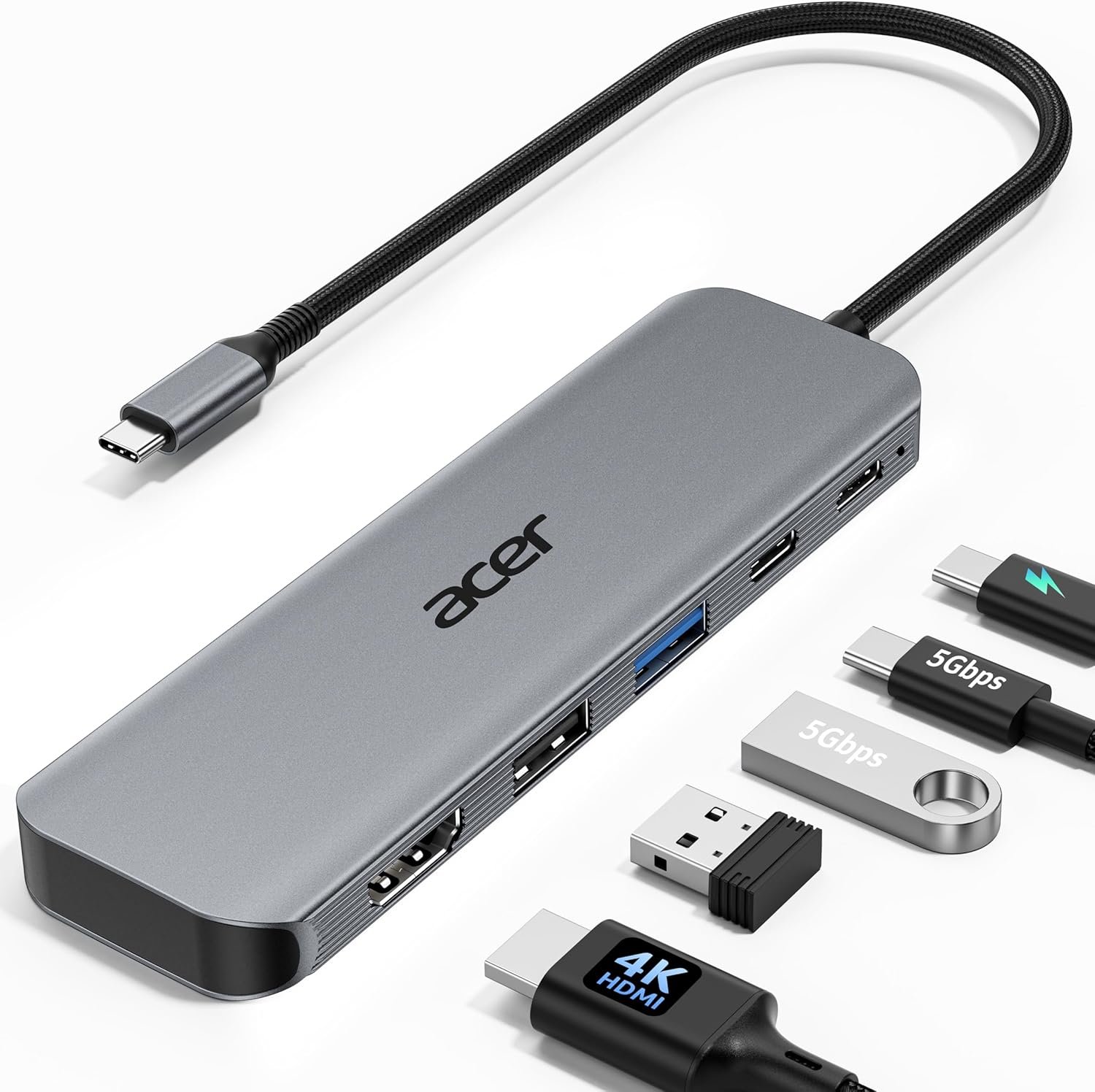
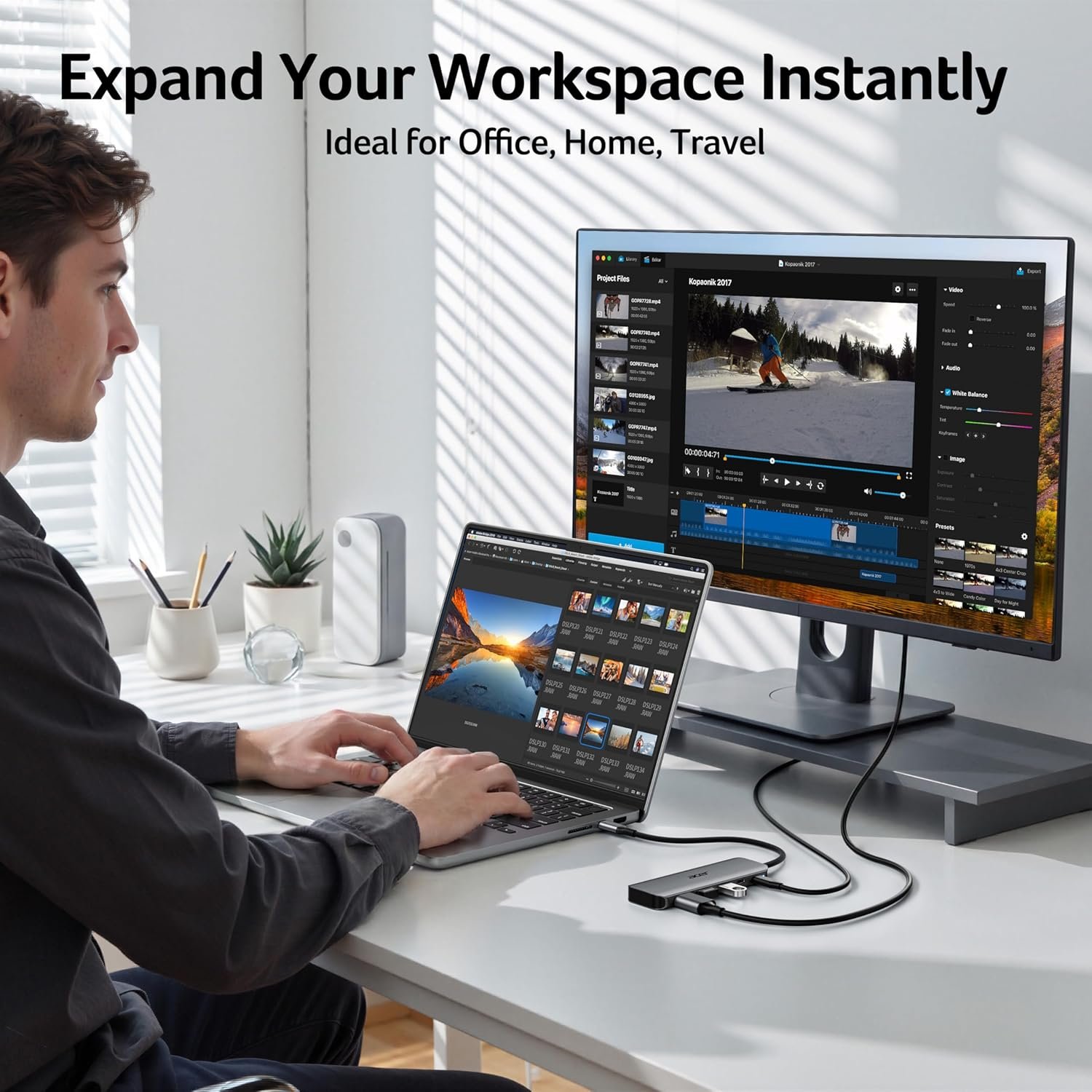
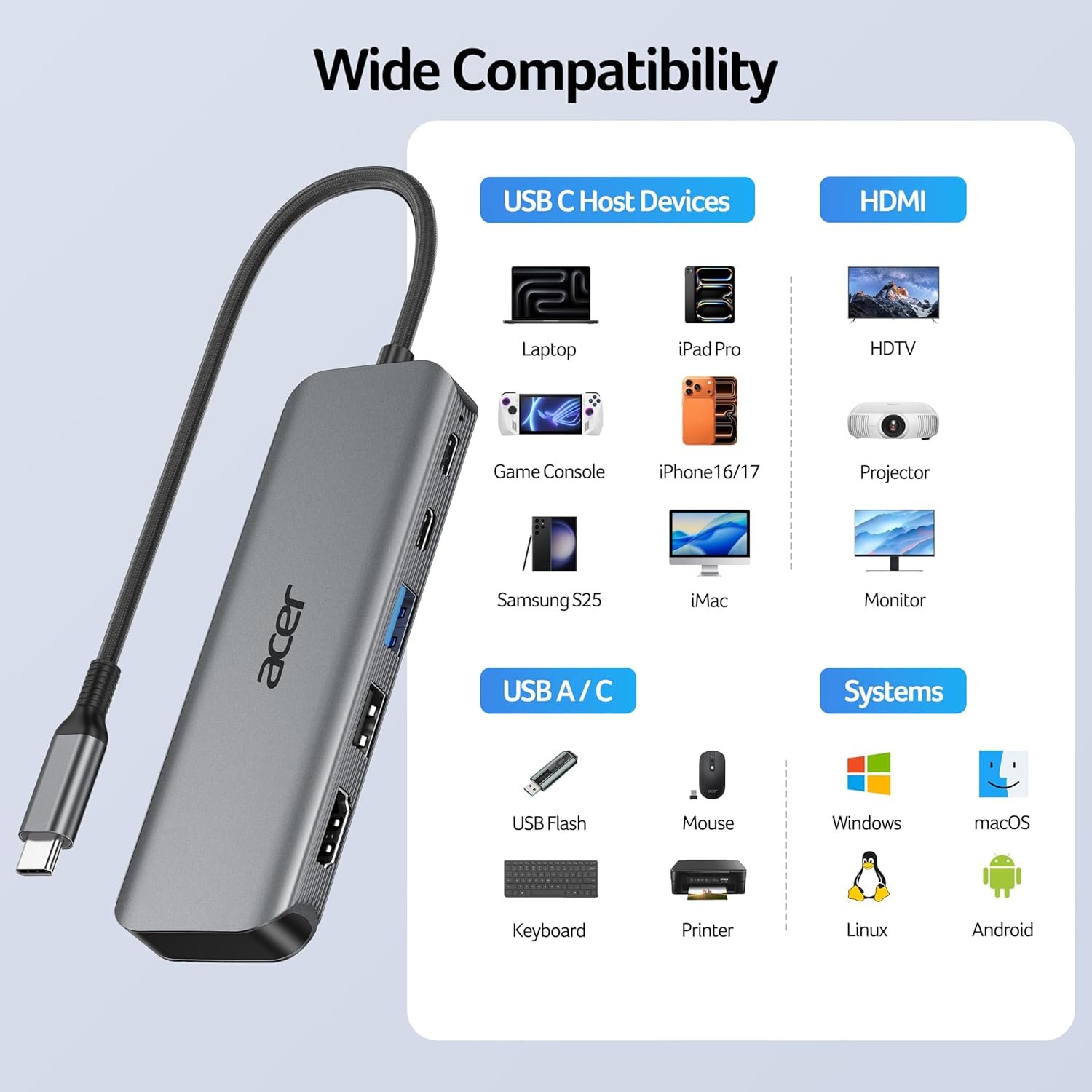
【5-in-1 Ultimate Productivity HUB】Expand your USB-C port into a high-performance workstation. This usb c hub multiport adapter integrates 4K@60Hz HDMI, 100W PD, USB-C 3.0 (5Gbps), USB-A 3.0/2.0. Perfect for keeping your desk organized and eliminating clutter from multiple dongles.
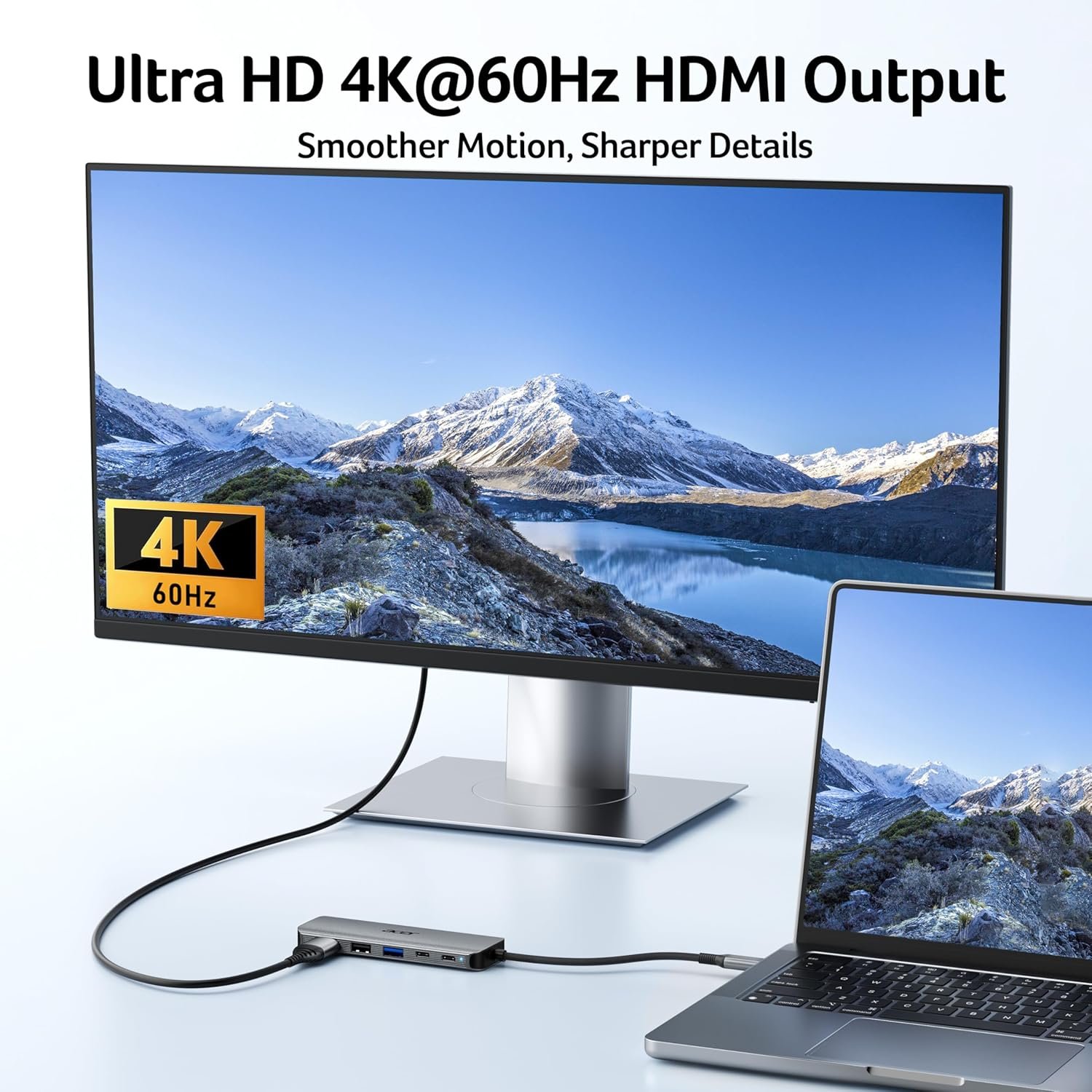
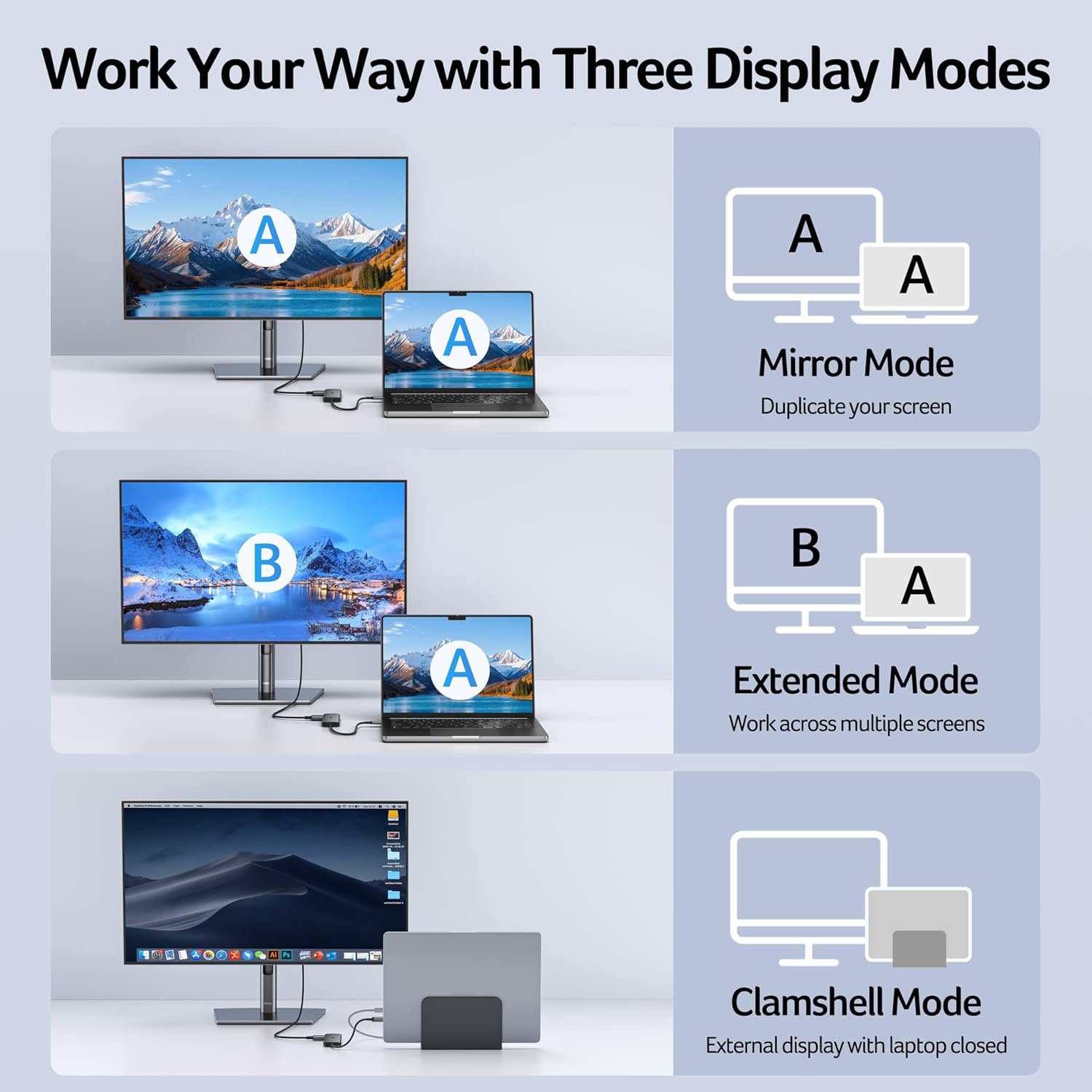
【True 4K@60Hz Visual Feast】Stop settling for blurry 30Hz displays. This USB-C to HDMI adapter supports 4K@60Hz, delivering 2X the smoothness of standard hubs. Ideal for pro video editing, high-stakes presentations, or immersive 4K streaming without motion blur.
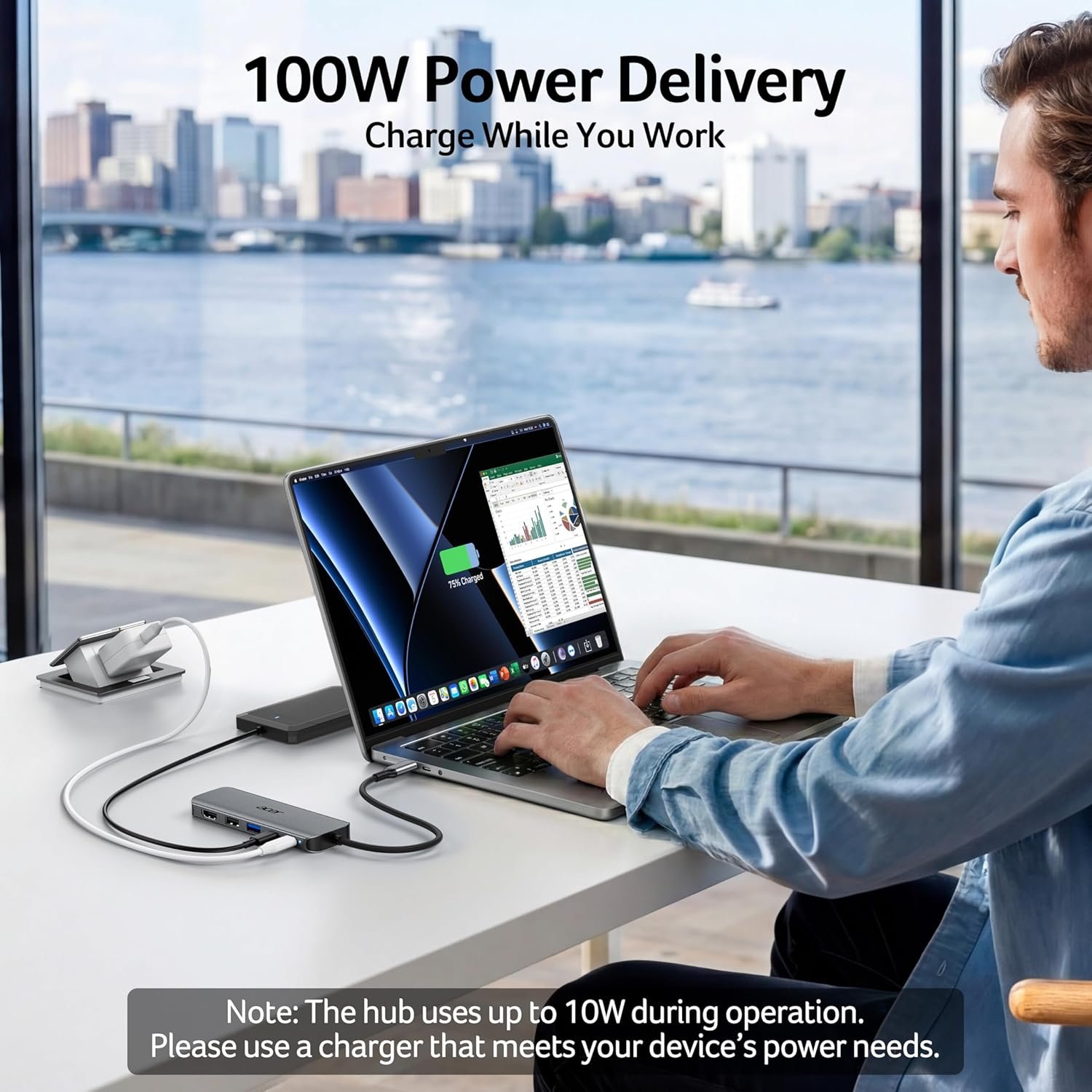
【100W Pass-Through Fast Charging】Equipped with a high-speed PD 3.0 chip, this type c hub supports up to 100W input and provides a stable 90W output to your laptop. Stay powered up during intensive tasks like 3D rendering or long meetings—say goodbye to low-battery anxiety once and for all. 📌Note: For optimal 90W charging, a 100W power adapter and cable are recommended (not included).
【Hyper-Speed 5Gbps Data Transfers】Move massive files in seconds! Featuring both USB-C and USB-A 3.0 ports (5Gbps), this usb c hub for laptop is 10X faster than USB 2.0. The additional USB 2.0 port is optimized for wireless mice and keyboards, ensuring a stable connection with zero interference.
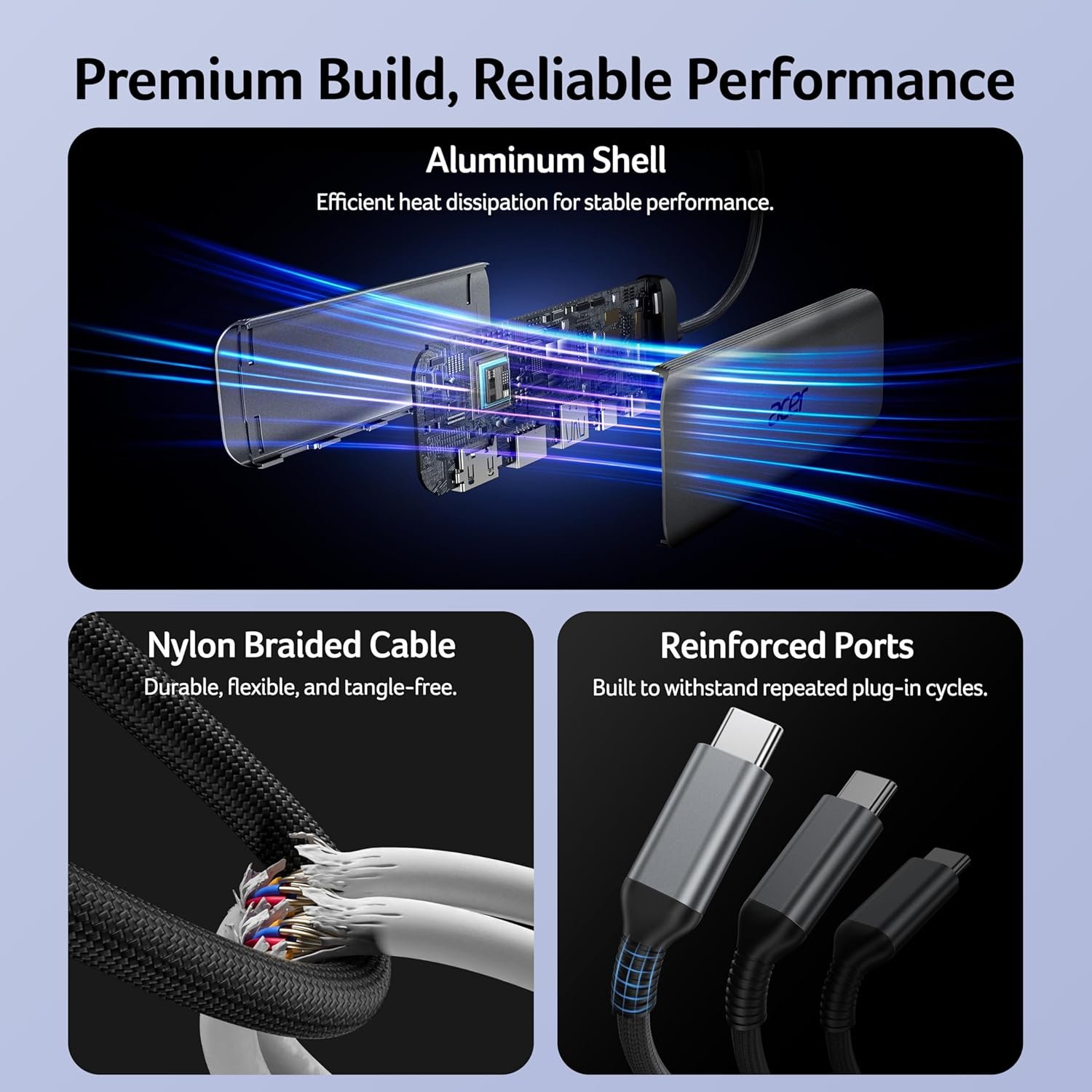
【Superior Cooling & Ultra-Portable Design】Built with a durable aluminum shell, this docking station improves heat dissipation for reliable use. Its ultra-slim, lightweight design slips easily into your bag—perfect for travel, office, or remote work essentials.
【Universal Compatibility】Designed for laptops with full-featured USB-C ports (supporting DisplayPort Alt Mode, Power Delivery, and data transfer). This versatile usbc splitter is fully compatible with Windows, macOS, and ChromeOS, working flawlessly with MacBook, Surface, Acer, and more.
Original price was: $19.99.$15.99Current price is: $15.99.
Product description
1 See More Clearly
2 Stay Fully Charged
3 Swift File Transfer
4 Boost Productivity
1 Cleaner Desk, More Focus
2 Built to Last Longer
1 Maximize Home Office
2 Run Flawless Meetings
3 Productivity on the Go
4 Big Screen Home Fun
Please Read Carefully Before Purchasing
✔️Check Before Buy Your device’s USB-C port must support 𝐯𝐢𝐝𝐞𝐨 𝐨𝐮𝐭𝐩𝐮𝐭 (𝐃𝐢𝐬𝐩𝐥𝐚𝐲𝐏𝐨𝐫𝐭 𝐀𝐥𝐭 𝐌𝐨𝐝𝐞). USB-C ports that only support charging or data transfer will NOT output video via HDMI. ✔️HDMI Display Behavior HDMI display recognition may take a few seconds on first connection. If your monitor has multiple input sources, please manually select the correct HDMI input. ✔️Full Charging Performance. Supports up to 𝟏𝟎𝟎𝐖 𝐏𝐃 𝐢𝐧𝐩𝐮𝐭 (𝐮𝐩 𝐭𝐨 𝟗𝟎𝐖 𝐨𝐮𝐭𝐩𝐮𝐭 𝐭𝐨 𝐭𝐡𝐞 𝐡𝐨𝐬𝐭 𝐝𝐞𝐯𝐢𝐜𝐞). Your device, charger, and charging cable must all support the Power Delivery (PD) protocol. Charger and cable are not included. ✔️About Audio Output Audio may not switch automatically when using an external monitor. If no sound is heard, please select the TV or monitor as the audio output device in system settings. ✔️Not Compatible Devices Not compatible with Lightning devices or gaming consoles, including iPhone/iPad (Lightning), Xbox, PS5/PS4, or similar devices. Note To fully utilize the display capabilities of the iPad Pro (M1), please connect a USB 3.0 drive to the 5Gbps USB-A port, and then connect the hub to the iPad Pro to display the image. Note For the most stable HDMI connection, we recommend connecting the PD power adapter before plugging in HDMI cables or other peripherals. Note Brief HDMI reconnection may occur when plugging or unplugging the PD charger as the hub reallocates power. This is normal and does not affect performance or lifespan. Q1 Why is there no image or blinking on HDMI? A1 1. Make sure your device’s USB-C port supports DP Alt Mode 2. Ensure the hub and HDMI cable are firmly connected 3. Adjust your device’s display resolution 4. Use a high-quality 4K@60Hz HDMI cable 5. Select the correct monitor input source manually Q2 Why isn’t my laptop charging through the PD port? A2 1. Connect the power adapter to the hub before connecting your laptop 2. Confirm your laptop USB-C port supports PD charging 3. Use a 65W or higher power adapter for best performance 4. Reconnect the hub if charging does not start immediately Q3 Can the male USB-C connector transfer data? A3 No. The male USB-C connector is for host connection only. Data transfer is supported through the USB-A ports and designated USB-C data port. Q4 What happens to data transfer speed when multiple ports are used at the same time? A4 This hub has three independent data ports: ✔️USB-A 3.0: up to 5 Gbps ✔️USB-C 3.0: up to 5 Gbps ✔️USB-A 2.0: up to 480 Mbps. Each port operates based on its own USB specification and the connected device. Actual transfer speeds may vary depending on the host device performance, system workload, and connected peripherals.
【5-in-1 Ultimate Productivity HUB】Expand your USB-C port into a high-performance workstation. This usb c hub multiport adapter integrates 4K@60Hz HDMI, 100W PD, USB-C 3.0 (5Gbps), USB-A 3.0/2.0. Perfect for keeping your desk organized and eliminating clutter from multiple dongles.
【True 4K@60Hz Visual Feast】Stop settling for blurry 30Hz displays. This USB-C to HDMI adapter supports 4K@60Hz, delivering 2X the smoothness of standard hubs. Ideal for pro video editing, high-stakes presentations, or immersive 4K streaming without motion blur.
【100W Pass-Through Fast Charging】Equipped with a high-speed PD 3.0 chip, this type c hub supports up to 100W input and provides a stable 90W output to your laptop. Stay powered up during intensive tasks like 3D rendering or long meetings—say goodbye to low-battery anxiety once and for all. 📌Note: For optimal 90W charging, a 100W power adapter and cable are recommended (not included).
【Hyper-Speed 5Gbps Data Transfers】Move massive files in seconds! Featuring both USB-C and USB-A 3.0 ports (5Gbps), this usb c hub for laptop is 10X faster than USB 2.0. The additional USB 2.0 port is optimized for wireless mice and keyboards, ensuring a stable connection with zero interference.
【Superior Cooling & Ultra-Portable Design】Built with a durable aluminum shell, this docking station improves heat dissipation for reliable use. Its ultra-slim, lightweight design slips easily into your bag—perfect for travel, office, or remote work essentials.
【Universal Compatibility】Designed for laptops with full-featured USB-C ports (supporting DisplayPort Alt Mode, Power Delivery, and data transfer). This versatile usbc splitter is fully compatible with Windows, macOS, and ChromeOS, working flawlessly with MacBook, Surface, Acer, and more.
Specification: Acer USB C Hub, 5-in-1 USBC to HDMI Adapter with 4K@60Hz, 100W Power Delivery, USB-C 5Gbps & USB-A 3.0 Data Ports, USBC Dongle Docking Station for MacBook Pro/Air, iPad Pro, iPhone 17/16 Pro Max, XPS
|
2 reviews for Acer USB C Hub, 5-in-1 USBC to HDMI Adapter with 4K@60Hz, 100W Power Delivery, USB-C 5Gbps & USB-A 3.0 Data Ports, USBC Dongle Docking Station for MacBook Pro/Air, iPad Pro, iPhone 17/16 Pro Max, XPS
Add a review
Related Products




Original price was: $19.99.$15.99Current price is: $15.99.

Tina Crawford –
USB Charging Hub Multiple Size Inputs
Acer USB C Hub, 5-in-1 USBC to HDMI Adapter with 4K@60Hz, 100W Power Delivery, USB-C 5Gbps & USB-A 3.0 Data Ports, USBC Dongle Docking Station for MacBook Pro/Air, iPad Pro, iPhone 17/16 Pro Max, XPS.I bought this to use for charging multiple devices. I thought I could plug it directly in to my cube to charge but no. It works great with my laptop and phone allowing those extra devices to charge off of the laptop or phoneYou can plug this into your Smart TV from your phone to see your videos and content on a large screen. This makes it easy to make edits for creating content.I’m not really a gadget person but this seems to work really well for the purposes it was intended. However, it does work with my Android phone.Very affordable and decent quality.
Kyle –
More Useful Than a Basic Adapter
What caught my attention here is that this feels more like a compact workstation add-on than a basic connector. Instead of only giving one extra option, it covers display output, charging, and data connections in the same unit. That makes it easier to see where it fits into everyday use, especially for people who work off a laptop and keep running into port limits.I also like that it seems suited for both focused work and casual use. One person might use it for presentations or a larger screen at a desk, while someone else might mainly want cleaner charging and room for accessories. That range makes it more appealing. It has the kind of feature mix that sounds useful in regular life, not just in a product listing.